Plan the week, then live one day at a time

    See your whole week. Plan it in minutes.

    A good week starts with seeing it. Flowsstate lays your tasks and meetings across the week, helps you put each piece of work on the day it belongs, and turns each morning into a short, finishable list.

    Start free Free plan, no card.
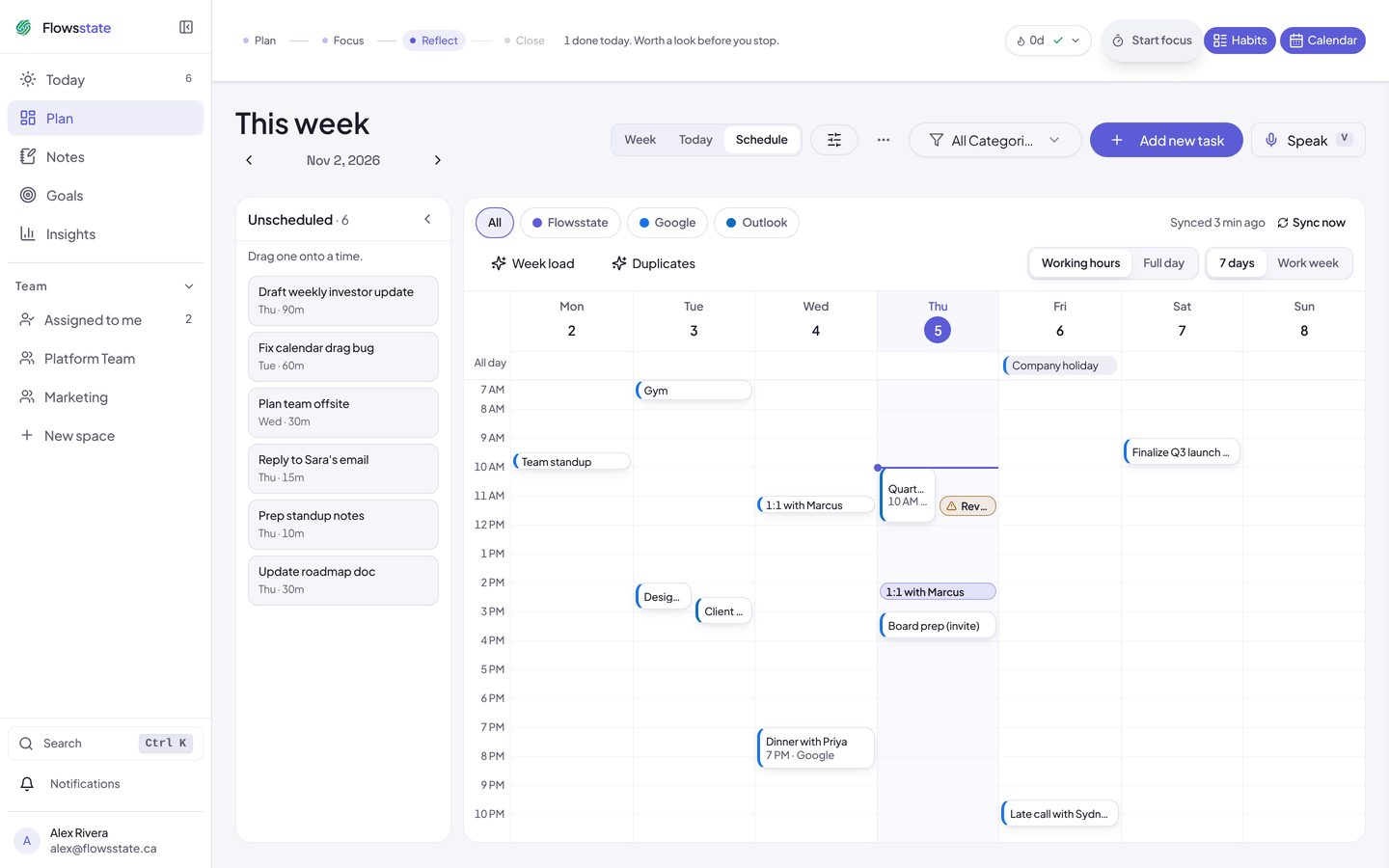
    Flowsstate week view with tasks and meetings across five daysFlowsstate week view with tasks and meetings across five days
    The week view: every task and meeting, day by day.
    • One view for the week

      Tasks and meetings side by side on a week timeline, so a heavy Thursday is obvious on Monday rather than at 4pm on Thursday.

    • Each day stays finishable

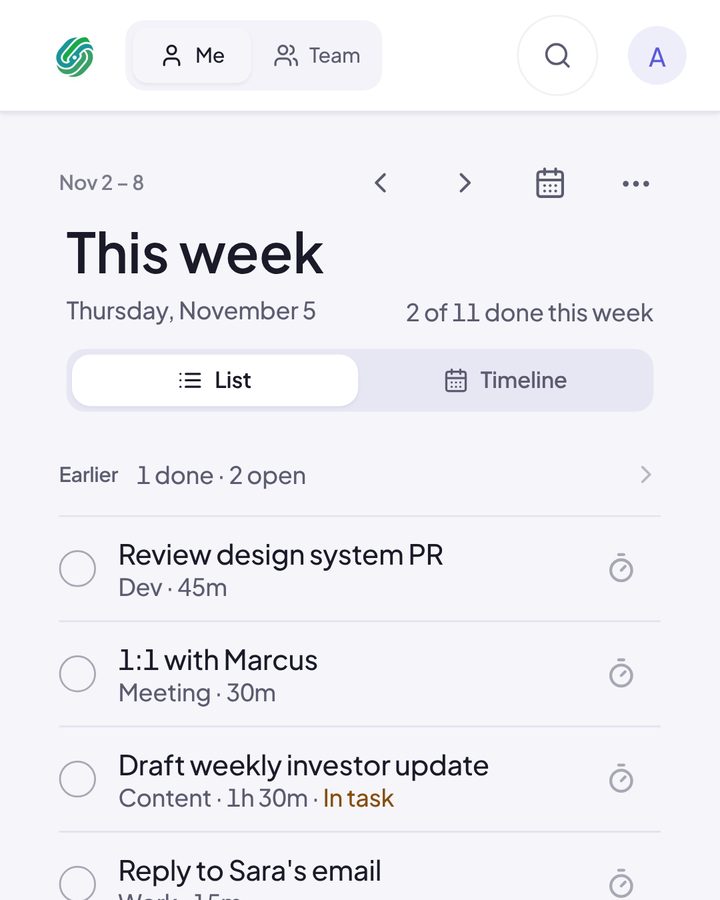
      Today shows only today: a small list with times. Work that belongs to later in the week stays there until its day.

    • Goals broken into steps

      Add a goal and break it into steps that land on real days, so the week moves the big things forward, not just the urgent ones.

    • A weekly rhythm

      Plan on Monday, close each day with a one-minute shutdown, and look back at the week in Insights to see what actually moved.


    Plan. Focus. Then stop.

    The whole day in three moves, recorded in the real app.

    A realistic day, not a wish list

    Drop tasks on the week. Flowsstate tells you when a day is already full.

    One thing, with the timer running

    Start a focus session on the task in front of you. Everything else waits.

    Close the day on purpose

    A two-minute shutdown: what got done, what moves to tomorrow, then you're off.

    Drop tasks on the week. Flowsstate tells you when a day is already full.

    Start a focus session on the task in front of you. Everything else waits.

    A two-minute shutdown: what got done, what moves to tomorrow, then you're off.

    Common questions

    How do I plan my week?

    Look at the whole week first: meetings, deadlines and anything fixed. Then pick the three to five outcomes that would make it a good week, break each into steps, and put each step on a specific day with room to spare. Keep one lighter day for overruns. Each morning, check that day's list only.

    Is there a free weekly planner app?

    Flowsstate is free to start. The week view, daily planning, goals with steps, focus sessions and the end-of-day shutdown are part of the free plan. Two-way Google Calendar sync and voice capture are part of Pro.

    Can I see my Google Calendar in the week view?

    Yes, with Pro. Connect Google Calendar and your meetings appear in the week view next to your tasks, kept in sync in both directions.

    What's the difference between a weekly planner and a to-do list?

    A to-do list says what needs doing; a weekly planner says when. Putting work on specific days forces a realistic choice about what fits, which is why planned weeks finish more often than long lists do.

    Today can have
    an ending.

    Planning the week shouldn't take an hour. Flowsstate keeps it to a few minutes: see the week, place the work, and let each day be small enough to finish. Free to start.

    Start free

    Free plan, no card. About 30 seconds.