You place the work

    A Motion alternative where you stay in charge.

    Motion plans your schedule for you. Flowsstate leaves the plan in your hands: you place the work, Auto-plan is a button you press when you want help, and the day ends at a stop time you set. It has a free plan, and Pro starts at CA$2.99 a month.

    Start free Free plan, no card.
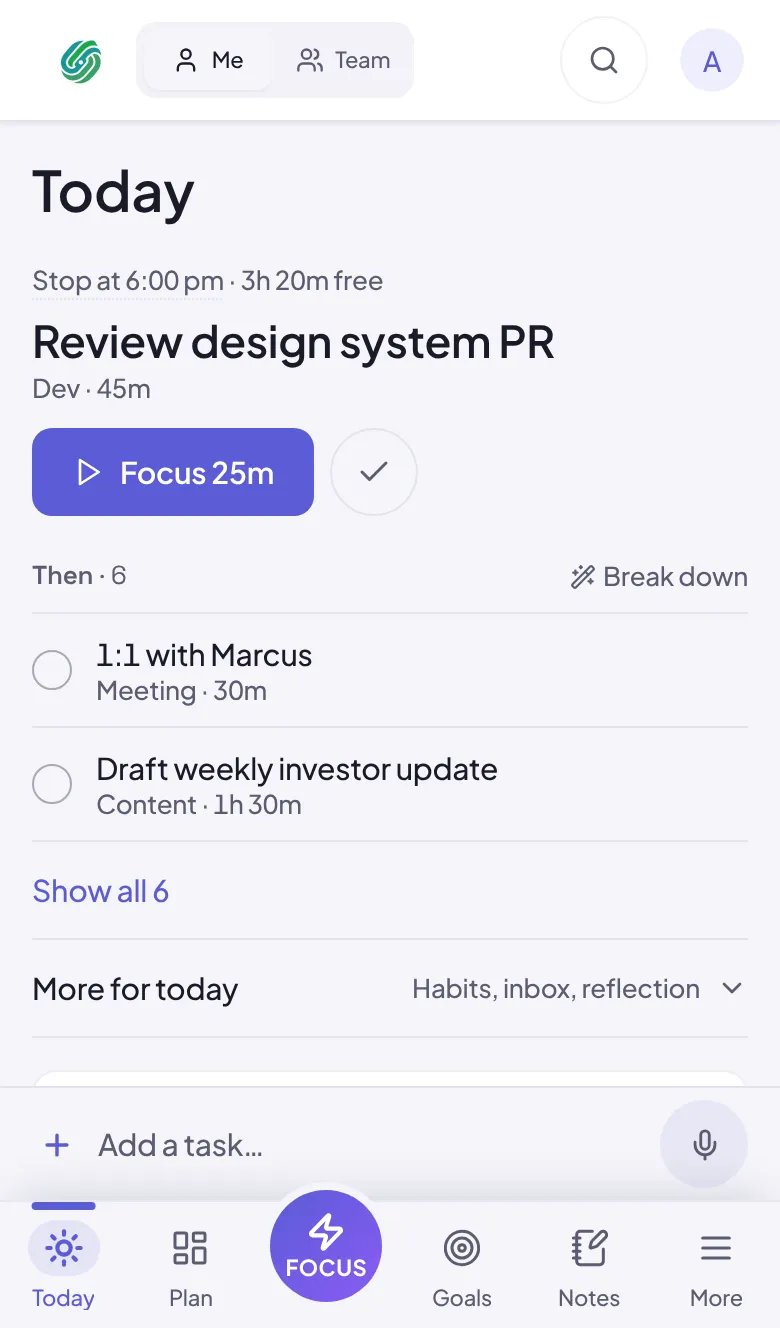
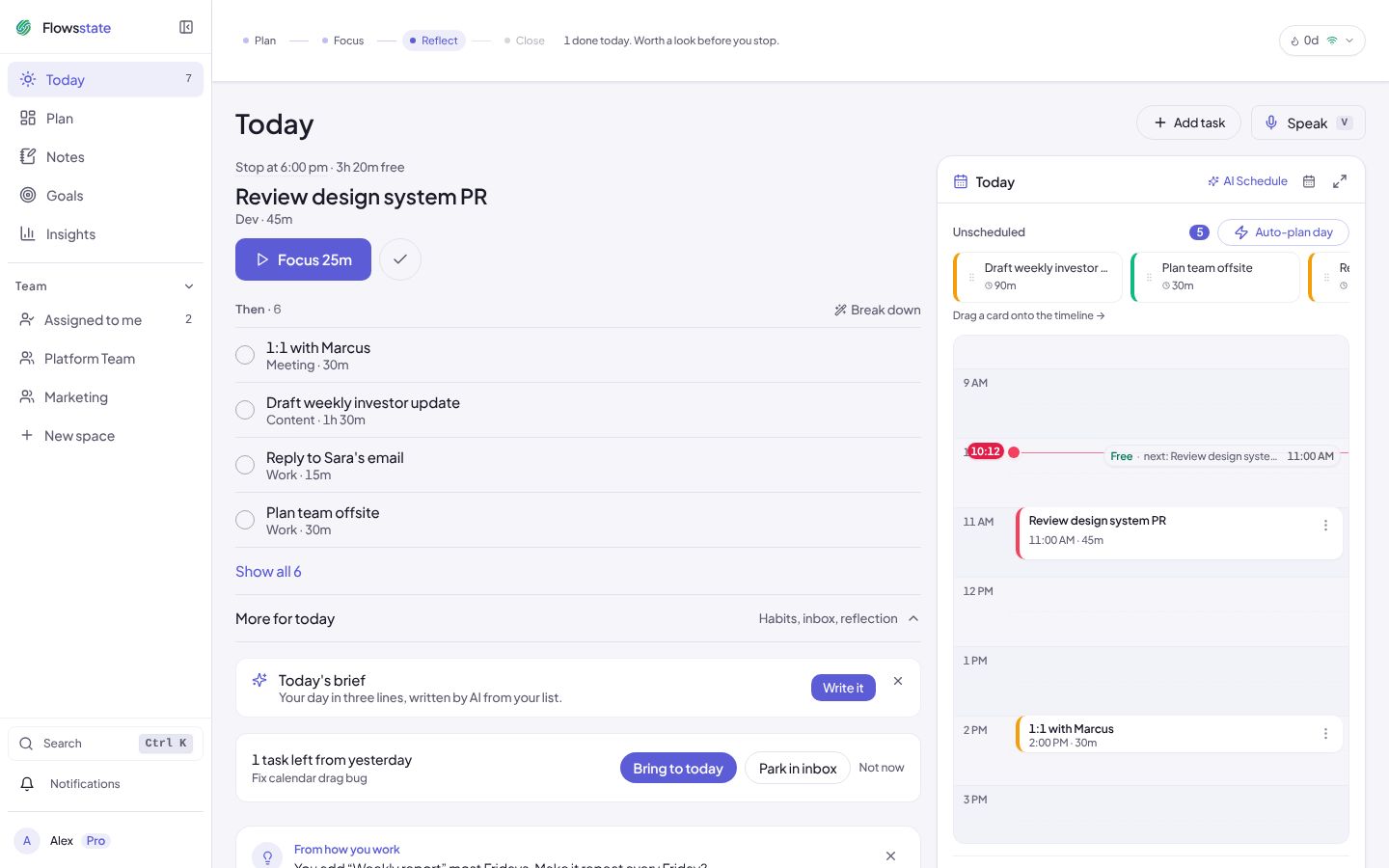
    Flowsstate Today: the next task with a Focus button, the rest of the day's list, and a timeline with a 6 pm stop timeFlowsstate Today: the next task with a Focus button, the rest of the day's list, and a timeline with a 6 pm stop time
    Today in Flowsstate: the plan, then a clear end.
    • You decide what goes where

      Drag tasks onto the timeline yourself. When you want a first draft of the day, press Auto-plan: it places your open tasks into the free time left, around meetings, and you can still move anything.

    • A stop time, not an endless schedule

      You choose when the day ends and the plan is built to fit inside it. When it's done, Flowsstate says so, and the shutdown ritual closes the day.

    • A free plan, then a low-priced Pro

      The Free plan is permanent and includes Auto-plan, the focus timer, the shutdown ritual and the Flow Score. Pro is CA$2.99 a month or CA$19.99 a year, in Canadian dollars.

    • Built to finish the day

      Flowsstate measures whether you finished a plan you chose, not how much you fit in. The Flow Score tracks the week, and the shutdown ritual ends each day.


    Flowsstate and Motion, side by side

    Motion and Flowsstate disagree about who plans the day. The table shows what Motion's own pricing page states; where it doesn't say, the cell links to it.

    Flowsstate compared with Motion Pro AI
    Flowsstate (CAD)Motion Pro AI
    Monthly priceCA$2.99 a month, billed monthly$49 a month, billed monthly
    Yearly priceCA$19.99 a year (about CA$1.67 a month)$29 a month, billed yearly
    Free plan offeredYes, permanentSee their pricing →
    Free trial7 days of Pro for new accounts, no cardSee their pricing →
    PlatformsWeb, iOS and Android (from the browser), Windows, macOSSee their pricing →

    Prices checked on 2026-11-17 from each company's own pricing page: Motion.

    Prices and features as published by each company on the date shown. We make Flowsstate, so read this as our view; check their site before you decide. Flowsstate's prices are in Canadian dollars (CA$) and each company's own are in the currency its page shows; none are converted.

    Where Motion is the better choice

    Motion is the better choice if you want software to schedule everything for you automatically, which is its core idea and not how Flowsstate works. In their own words: “Automatically prioritize tasks, schedule meetings, and resolve calendar conflicts.” (Motion).

    Plan. Focus. Then stop.

    The whole day in three moves, recorded in the real app.

    A realistic day, not a wish list

    Drop tasks on the week. Flowsstate tells you when a day is already full.

    One thing, with the timer running

    Start a focus session on the task in front of you. Everything else waits.

    Close the day on purpose

    A two-minute shutdown: what got done, what moves to tomorrow, then you're off.

    Drop tasks on the week. Flowsstate tells you when a day is already full.

    Start a focus session on the task in front of you. Everything else waits.

    A two-minute shutdown: what got done, what moves to tomorrow, then you're off.

    Common questions

    What is a good alternative to Motion where I stay in control?

    Flowsstate is an alternative to Motion where you place the work yourself. Auto-plan is a button that suggests a first draft of the day around your meetings, and you can change any of it. Motion's own approach, in its words, is to schedule for you automatically. The table compares the plans from Motion's pricing page.

    Does Flowsstate schedule my tasks automatically?

    Only when you ask. Auto-plan puts your open tasks into the free time you have left today, around meetings, when you press the button. It doesn't re-plan your calendar behind your back. If you want fully automatic scheduling, Motion is the better fit.

    Does Motion have a free plan?

    Motion's pricing page doesn't say, so this page doesn't either: that cell in the table links to their page. Flowsstate has a permanent Free plan, and new accounts get 7 days of Pro without a card.

    How does Flowsstate pricing compare with Motion?

    Flowsstate Pro is CA$2.99 a month or CA$19.99 a year, in Canadian dollars. The Motion prices in the table are for one person and are shown the way its pricing page shows them, with a dollar sign and no currency code. Neither set is converted.

    Can I try Flowsstate without a card?

    Yes. Sign up with one tap through Google, add a few tasks and plan your day. The Free plan and the 7-day Pro trial both need no credit card.

    Today can have
    an ending.

    If you'd rather decide where your work goes than hand the calendar over, Flowsstate is built for that. It plans the day with you, helps you focus and tells you when to stop. Free to start, and your first plan takes under a minute.

    Start free

    Free plan, no card. About 30 seconds.